



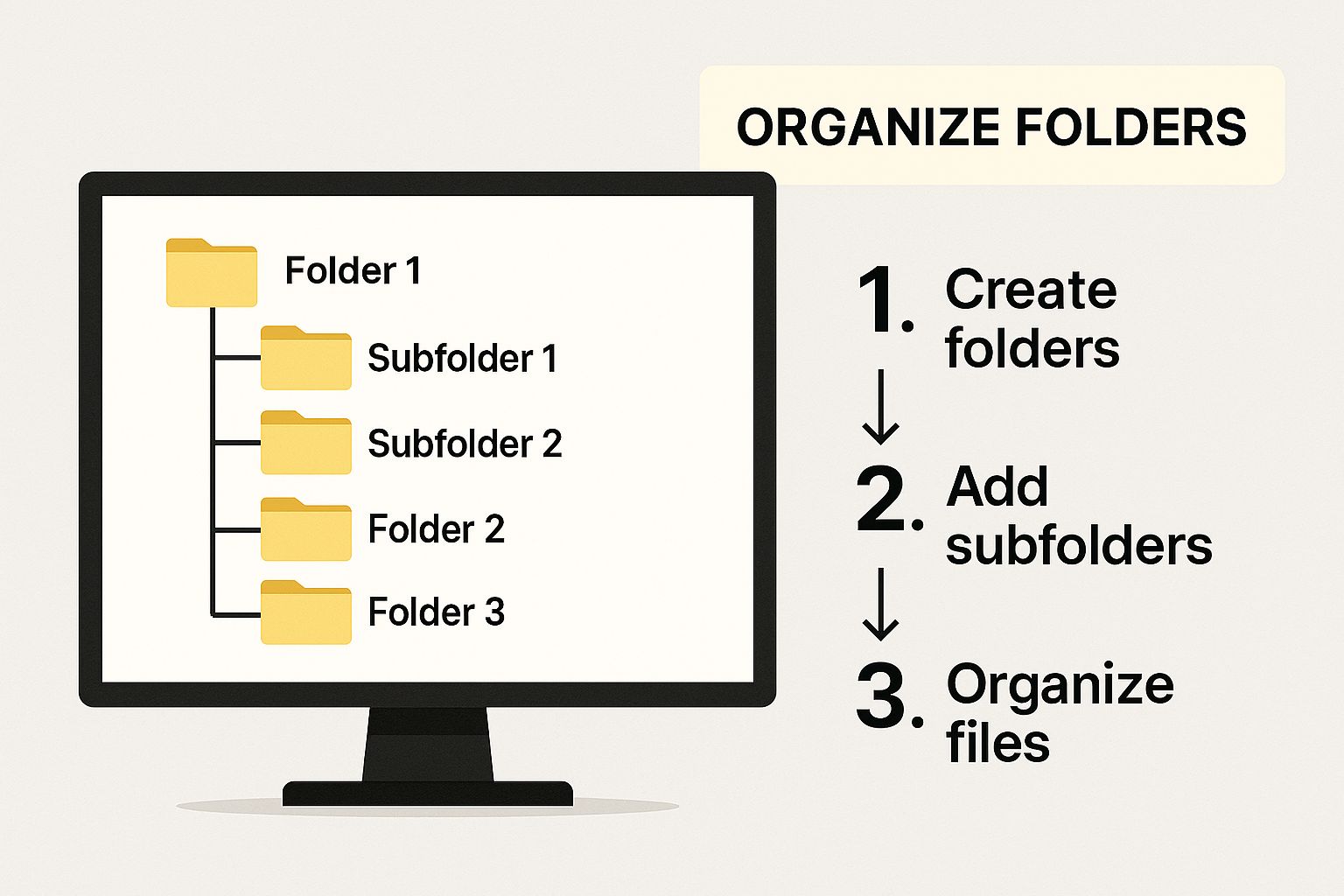
When you’ve ever looked at your computer files and felt overwhelmed, you’re not alone. A folder hierarchy refers to the way folders and subfolders are structured to store and organize digital files in a logical way. Think of it like a filing cabinet: you have big drawers for broad topics and smaller folders inside for specific items. This structure helps you know where everything is, so you don’t waste time searching aimlessly.
A folder hierarchy creates an intuitive, tree‑like system that breaks down your digital space into manageable pieces. Just like how books in a library are ordered by genre, author, and title, digital folders help keep your data organized. Without it, files pile up randomly, making it difficult to find anything once you forget exactly where you saved it. In essence, a good hierarchy is the bedrock of any organized digital workspace.
Whether you’re storing documents, photos, videos, or spreadsheets, folder hierarchies let you categorize them so each file has its rightful place. When you use a clear structure, productivity increases, stress decreases, and digital chaos becomes a thing of the past. Ultimately, folder hierarchies make computers easier to use—and life a bit more manageable.
Table of Contents
ToggleWhy Organized Folder Structure Matters
Imagine walking into a messy room with things scattered everywhere—you’d spend ages finding what you need. The same thing happens in your digital world without organized folder structures.
When your folders are neat and labeled correctly, you can locate files instantly. This isn’t just about aesthetics; it’s about saving valuable time. A well‑organized system boosts productivity and reduces frustration. You aren’t wasting energy retracing where you saved that file you worked on last week—it’s right where it should be.
Additionally, cluttered digital systems increase the risk of losing files entirely. If your folders aren’t logical, you might save duplicates in different places, leading to version confusion. This becomes especially problematic in professional environments where collaboration and accuracy are key.
Furthermore, if you ever need to back up or transfer your files, a tidy hierarchy makes the process smoother and safer. You’ll avoid accidentally skipping important folders or duplicating unnecessary ones. Organization isn’t optional—it’s critical.
Benefits of a Well‑Designed Folder Hierarchy
A carefully constructed folder system brings benefits that extend beyond simple organization. First, it promotes clarity. When each folder has a well‑defined purpose, there’s no second guessing about where files belong. It enhances team collaboration because everyone understands the structure and knows where to store or find shared files.
Next, time savings is a major benefit. Instead of scrolling through hundreds of unsorted files, you can go straight to the subfolder you need. This is especially useful for professionals juggling multiple projects. Imagine opening up a “Projects” folder and finding subfolders clearly labeled by client or date—your brain doesn’t have to work overtime to figure out what belongs where.
Security and backups also improve. When folders are logically organized, backups are more comprehensive and less prone to errors. You won’t accidentally overwrite important files or miss key sections during cloud storage syncs.
Finally, a good folder hierarchy sets the foundation for automated workflows. Modern software tools can tag, sync, or categorize files more accurately when your structure is logical and consistent.
Basic Principles of Folder Hierarchy
Before jumping into creating your perfect folder system, you need to understand some basic principles that keep your hierarchy efficient over time. These principles aren’t rigid rules—they’re guidelines that make the difference between chaos and harmony.
The Rule of Simplicity
Simplicity should always guide your design process. It’s tempting to create deep nested folder systems with ten layers of subfolders, but that often backfires. The goal is to balance detail with ease of navigation. If it takes more effort to drill down into folders than to find the file itself, your system is too complex. Keep folders meaningful and avoid unnecessary splits.
For example, instead of having a folder like:
You might simplify it to:
This stripped‑down approach focuses on clarity and accessibility. The fewer clicks between you and the file, the better.
Consistency is Key
Consistency means using the same naming convention and structure across all folders. Inconsistent names like “Docs,” “Documents,” and “Work Docs” cause confusion. When naming, choose a pattern and stick with it. For instance, “YYYY‑MM‑DD” for dates or always placing client names before project types can create predictability.
Consistency also helps in collaborative settings. A team that follows the same folder system doesn’t waste time clarifying where to save or retrieve files. This is why companies often publish internal standards for digital storage structures.
Planning Your Folder Structure
Now that you understand the importance and core principles, it’s time to plan your folder hierarchy. Planning might seem tedious, but it lays the groundwork for long‑term success.
Identify Your Needs and Goals
Start by asking: What do I need to organize? Are you dealing with personal photos, work projects, research files, or something else entirely? Your answer guides the entire hierarchy.
Different needs call for different structures. A photographer might organize by year → client name → shoot date, whereas a student might prefer subject → semester → assignment type.
Write down your main categories. Don’t worry about subfolders yet; simply list the broad areas that matter. This gives you a bird’s‑eye view of your digital priorities.
Map Out Major Categories
With your needs identified, sketch out how major areas relate. You might use a whiteboard, sticky notes, or simply a notebook. Draw a tree with the main folders at the top and branches for subfolders.
This mapping stage isn’t set in stone—it’s your chance to experiment and refine your logic before committing it to your computer. Treat it like organizing a closet before you actually install the shelves.
Subcategories and Logic
Once major folders are in place, it’s time to break them down into subcategories. Ask yourself: What smaller groups naturally fit under this bigger one? For a “Photos” folder, subcategories might include:
-
Year
-
Event or Trip
-
Raw
-
Edited
-
-
Notice how this system captures both time and purpose. Subcategories should reduce cognitive load—not add to it.
Examples of Folder Hierarchy in Real Life
Now let’s explore tangible examples that show how folder hierarchies help in different scenarios.
Personal Uses
Even outside work, a good folder hierarchy can simplify life.
Family Photos & Memories
Most people have thousands of photos—and if they’re all dumped into one folder, finding anything feels like searching for a needle in a haystack. A logical hierarchy for photos might look like:
├── 2024
│ ├── Birthday
│ └── Vacation
├── 2023
│ ├── Wedding
│ └── Road Trip
This structure makes it easy to browse by year and event. If you want to find Grandma’s birthday pictures from last year, you don’t scroll endlessly—you go straight to the folder.
Personal Finance Docs
Keeping finances organized is crucial for tax season and budgeting. A smart hierarchy could be:
├── Taxes
├── Bills
│ ├── Electricity
│ └── Internet
└── Receipts
├── 2024
└── 2023
This way, everything from receipts to tax returns has a rightful place, eliminating the stress of scattered documents.
Professional Uses
Now let’s look at how professionals can benefit from a thoughtful folder hierarchy.
Work Projects
For work related to projects, a clean structure enhances collaboration:
├── Projects
│ ├── Project Alpha
│ │ ├── Specs
│ │ ├── Reports
│ │ └── Final Deliverables
│ └── Project Beta
└── Admin
Each project has its own space with clear subdivisions. This prevents confusion when multiple people access the same drive.
Client Documentation
If you’re managing multiple clients, organizing by client can eliminate chaos:
├── Client A
│ ├── Contracts
│ └── Invoices
└── Client B
├── Contracts
└── Invoices
Now you know exactly where contracts, proposals, and invoices live—no surprises.
Common Folder Structure Mistakes to Avoid
Even with good intentions, people often make similar mistakes:
-
Over‑nesting: Too many subfolders make navigation painful.
-
Unclear naming: Labels like “Stuff” or “Miscellaneous” are useless.
-
Duplicate systems: Having one system on a laptop and another on the cloud leads to confusion.
-
Skipping backups: Without backups, even the best hierarchy can’t save lost files.
Avoid these by planning carefully and revisiting your structure regularly.
Tools & Tips to Maintain Folder Order
Keeping folders organized is an ongoing task, but certain tools can help:
-
Use cloud storage like Google Drive or Dropbox to sync and access files anywhere.
-
Enable automatic backups to protect your hierarchy from data loss.
-
Periodically review and prune old or unused folders.
-
Use search tools and tags to supplement your hierarchy.
Apps like file managers and tagging extensions can boost productivity and ensure you don’t lose track of important data.
Conclusion
A well‑organized hierarchy of folders is one of the simplest yet most powerful ways to manage digital clutter. Whether you’re organizing personal photos or professional work documents, a thoughtful structure saves time, reduces frustration, and protects your data. By planning ahead, staying consistent, and avoiding common mistakes, you can turn any messy drive into a streamlined system that works for you.
FAQs
Q1: What’s the best way to start organizing my folders?
Start by identifying major categories and sketching a logical structure before creating folders digitally.
Q2: How deep should my folder hierarchy be?
Keep it shallow enough to find files with minimal clicks—typically no more than 3–4 levels deep.
Q3: Should folders be named with dates first or keywords?
It depends on your use case, but consistency matters more than order.
Q4: Can I use tags instead of folders?
Tags are great for supplementary organization, especially in photo apps, but they usually work best alongside a solid folder structure.
Q5: How often should I reorganize my folders?
Review every few months to prune unused files and refine your syst

Sam Finley
You Can grow your website seo .And ranking website feel free contact : Ethinemily@gmail.com
Leave a Reply
You must be logged in to post a comment.